
AllRadio
appdeve · Music and radio
Mac
Internet radio for the Mac: thousands of stations by country, genre and language, favourites in folders, an alarm and recording.
Screenshots
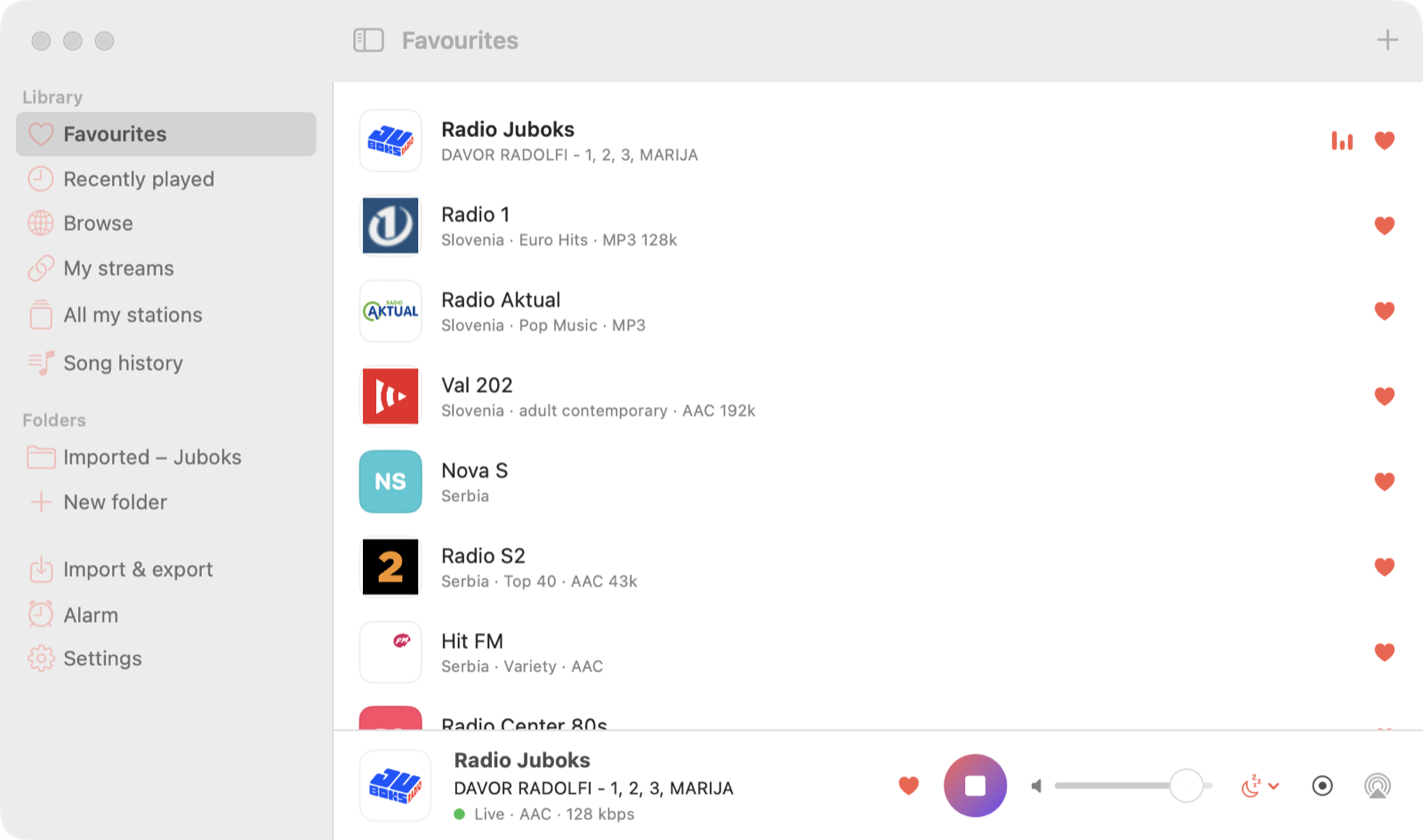
Description
AllRadio plays internet radio stations from the open Radio Browser directory. Find stations by name, country, genre or language, and sort your favourites into folders.
When a stream drops, AllRadio reconnects by itself. If a station's address stops working, it tries the next one it knows.
What it does
- Search by country, genre and language
- Favourites, folders and recently played
- The song now playing, and a song history
- Sleep timer and an alarm with the station you choose
- Record a stream to a file
- Mini player in the menu bar and media keys
- AirPlay
- Import and export M3U, PLS, OPML and JSON lists
- Your own stream addresses
System requirements
Mac
macOS 13 Ventura or later, Intel or Apple silicon Mac
First launch
The apps are not yet signed with a paid developer certificate, so the system asks you to confirm the first launch. You do this only once.
On a Mac
- Open the downloaded .dmg file and drag the app into the Applications folder.
- On first open, macOS says it could not verify the developer. Click Done.
- Open System Settings, then Privacy & Security, and scroll down. Next to the app, click Open Anyway.
- Confirm with your password or Touch ID. From then on the app opens like any other.
Additional information
- Publisher
- appdeve
- Price
- Free
- Category
- Music and radio
- Version
- 1.0.1
- Updated
- 26 November 2026
- Size
- Mac 3.3 MB
- Languages
- Slovenian, English
- Platforms
- Mac